Add HVAC HQ to your Home Screen
Launch it like a native app — full screen, right from your phone.
Launch deal · 60 days full access

Built for HVAC people.
From first fault to final approval.

Built from practical Australian HVAC&R experience, with AI used to assist. Technicians can work through what to test next, record the job and create a clean closeout. Supervisors can review reports, quotes and contract evidence before approving.

Create an account and claim 60 days of full access at no cost. Paid plans are available afterwards from $19 / month.

On site
Fault finding + field jobs
Closeout
Dockets + photo reports
Supervisor
Reports + quotes + compliance
One history
Evidence stays with the asset
Sceptical second opinion Document-backed citations Source-priority reasoning

See the job, not a software demo

What HVAC HQ looks like in the real world

Practical AI guidance, rebuilt around HVAC&R field work. Tell HVAC HQ what you can see, upload the job evidence, or give it the paperwork you need reviewed. HVAC HQ turns that input into a practical next step.

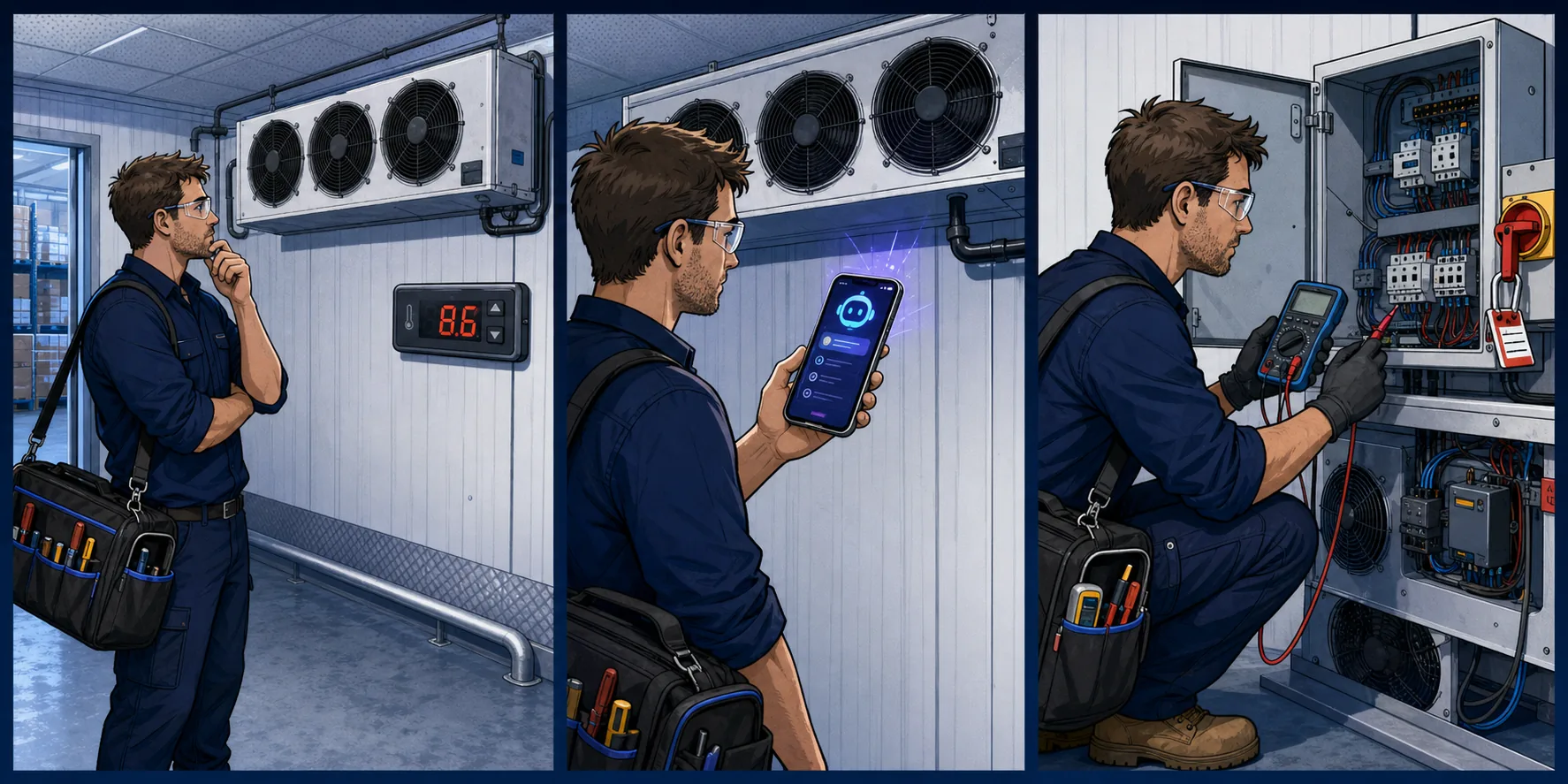
Three-panel illustration of a refrigeration technician finding stopped cold-room fans, consulting HVAC HQ and following a safe test sequence.
For technicians

Cold room warm and the fans are down

Use HVAC HQ as a trade-specific second brain when you need a logical starting point on site.

1 · Spot the problem

Room temperature is high and the evaporator fans are not running.

2 · Ask HVAC HQ

“What should I check, in what safe order, and what readings should I capture?”

3 · Work the sequence

Get a practical test order, likely causes and the evidence to record before deciding the repair.

Ask HVAC HQKnowledge BaseParts Finder
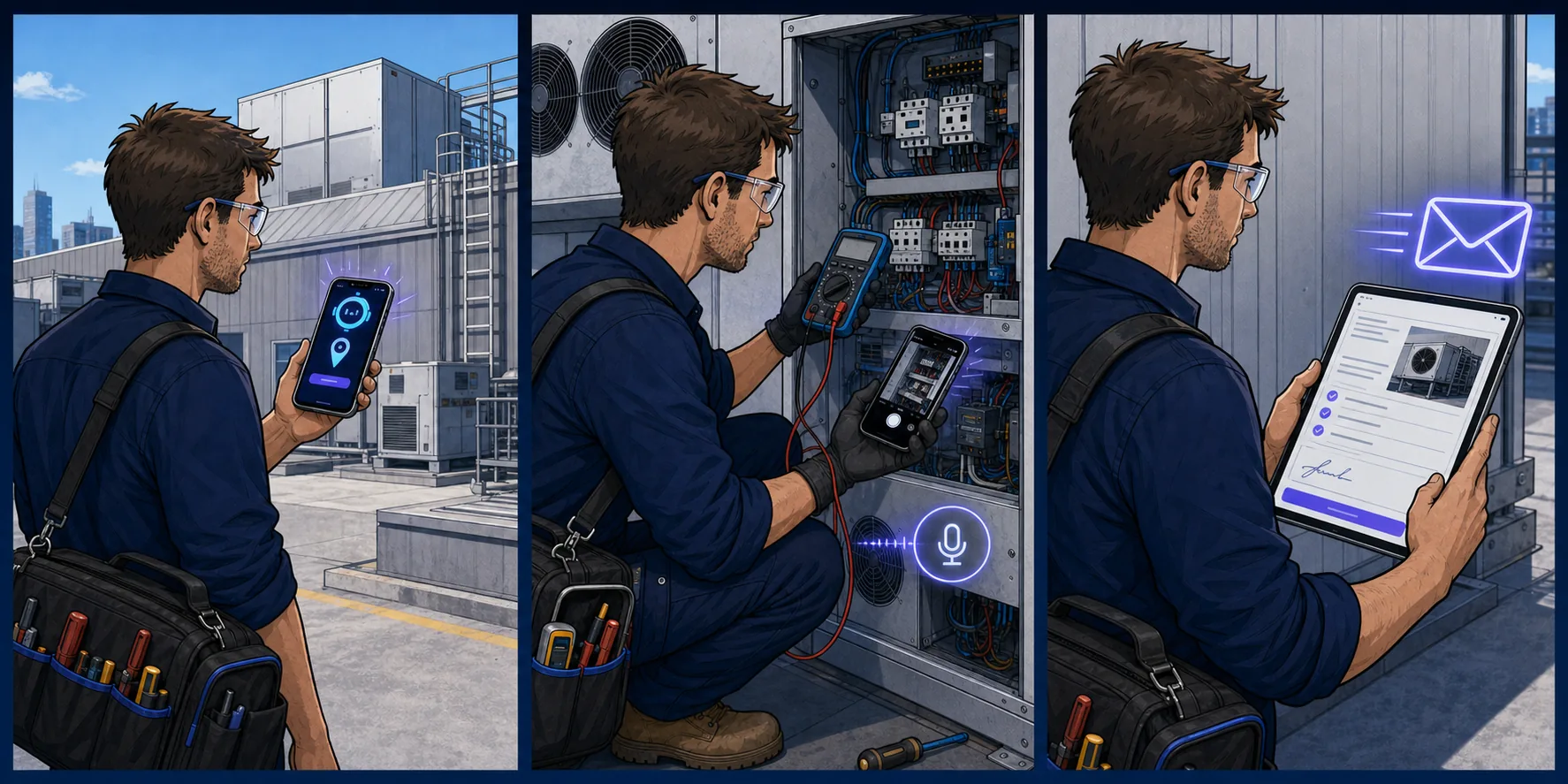
Three-panel illustration of a technician starting a tracked job, recording readings and photos, then sending a digital service docket.
For technicians

Run the job and close it out properly

Keep the field record together while the work is happening instead of rebuilding it at the end of the day.

1 · Start the job

Start time and location, then select the site, asset and work type.

2 · Capture the work

Add readings, photos, parts and long voice notes as you go.

3 · Send a clean record

Finish with a service docket, client-ready photo report and service-history entry.

Field JobsReport on the RunHistory Builder
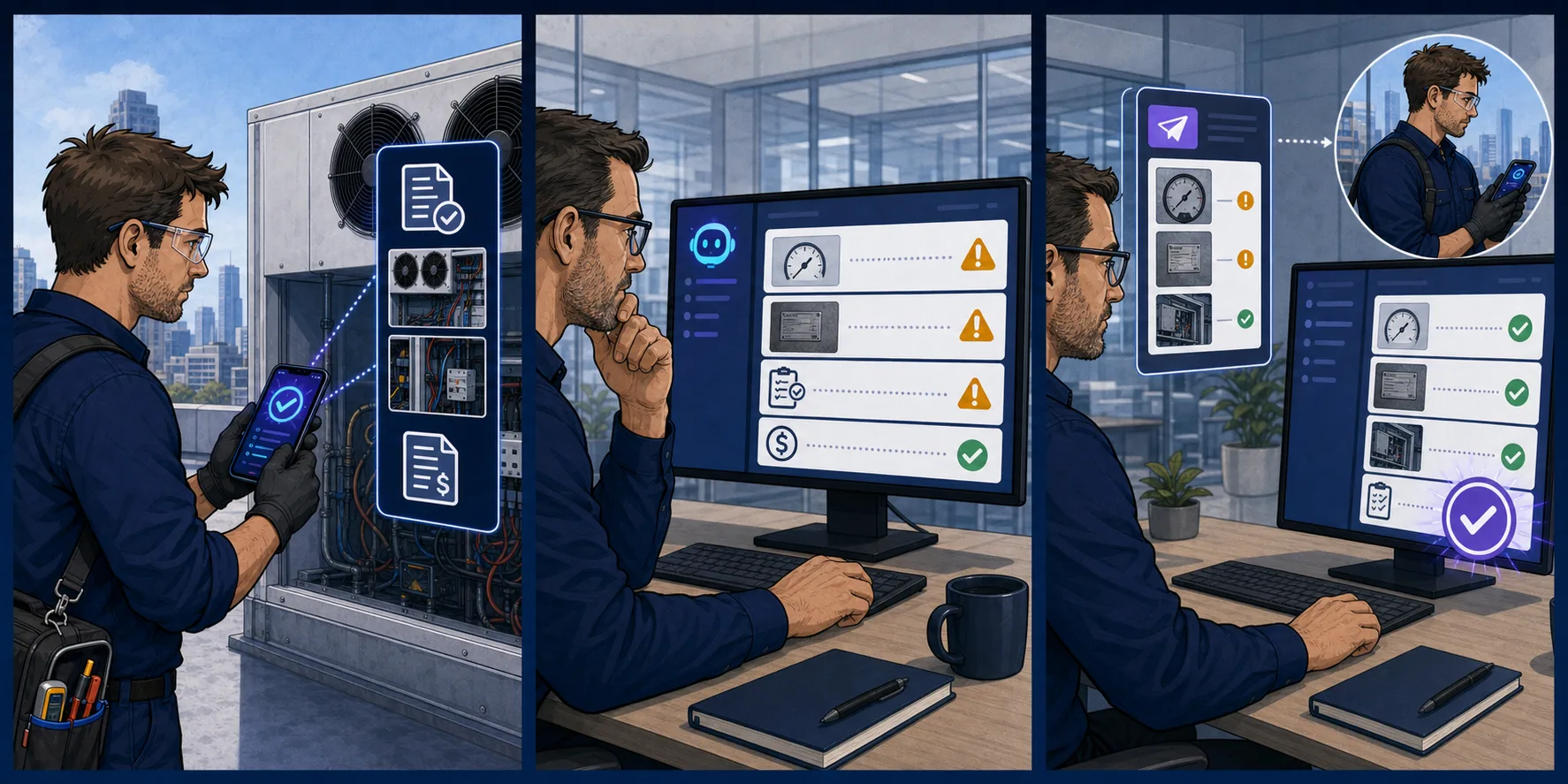
Three-panel illustration of a technician submitting job evidence and a supervisor reviewing warnings before approving corrected work.
For supervisors

Review the report or quote before approving

Use HVAC HQ to challenge the paperwork, surface gaps and make the next action obvious.

1 · Add the evidence

Upload the technician report, photos, readings or supplier quotation.

2 · Run the review

Check diagnosis, evidence, scope, labour, parts, omissions and commercial risk.

3 · Decide clearly

Approve, approve with conditions, or ask for the missing evidence and revised scope.

Service Report ReviewQuote ReviewChallenge the Tradesman
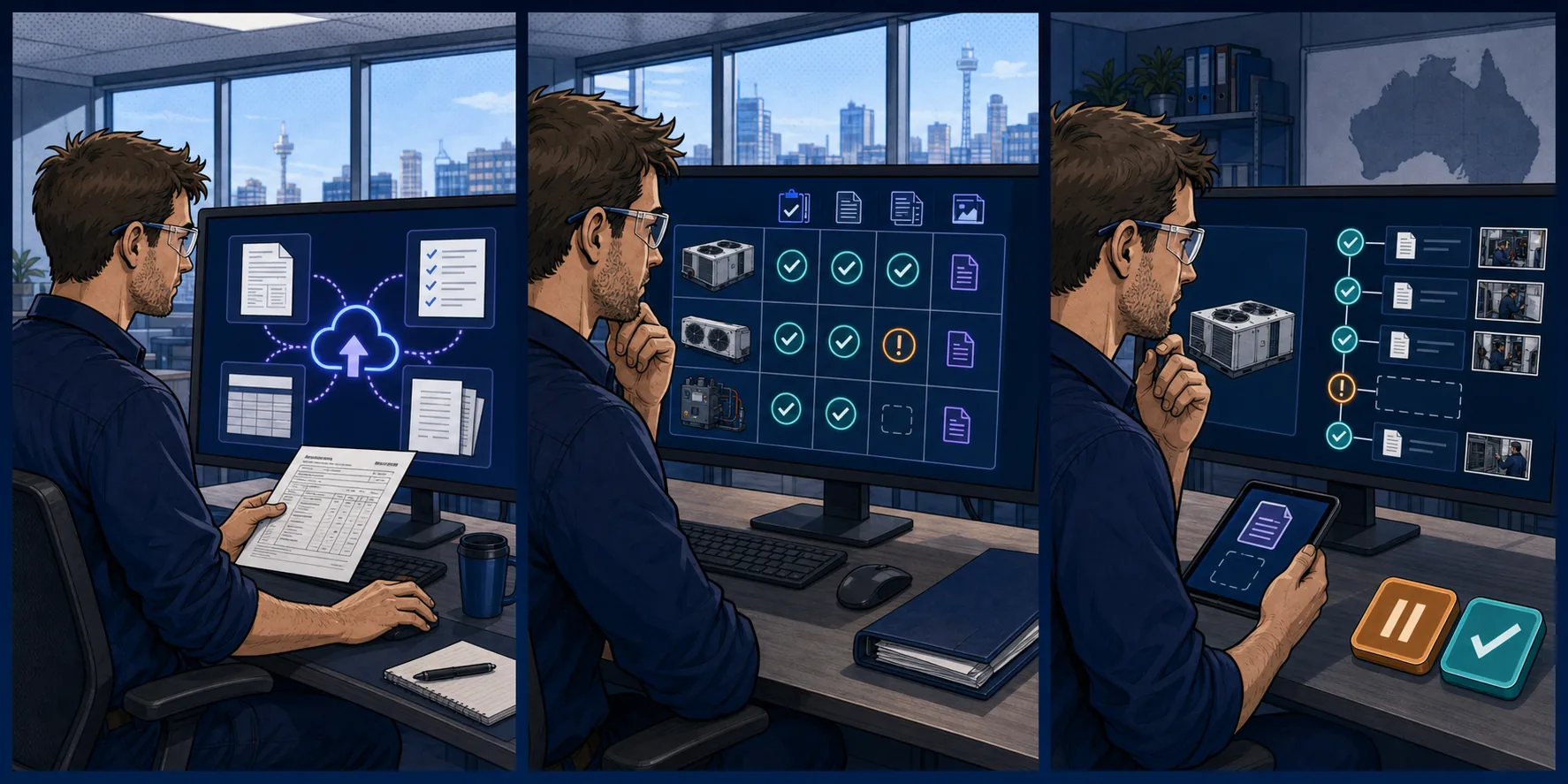
Three-panel illustration of a supervisor uploading contract documents, reviewing an evidence matrix and checking an asset-history timeline.
For supervisors

Prove what the maintenance contract delivered

Bring the contract, asset list and completed records together so evidence gaps are visible.

1 · Add the source files

Upload the scope, task list, asset register and completed service records.

2 · Match work to evidence

See which tasks and assets are supported, unclear or missing from the records supplied.

3 · Keep the trail

Review the gaps, practical assessment and asset history before your next decision.

Contract ComplianceHistory BuilderKnowledge Base
HVAC HQ supports qualified trade decisions. Always follow safe isolation, site procedures, manufacturer instructions and applicable requirements.
Oakley Meta proof of concept

Hands-free support built around what today’s glasses can actually do.

HVAC HQ is testing an audio-first, phone-assisted workflow for Oakley Meta HSTN. The glasses capture what the technician deliberately chooses to share; the phone runs the HVAC HQ session; the answer can be spoken back through the glasses.

The phone does the heavy lifting

Camera hand-off, the HVAC HQ session and confirmation stay on the paired Android phone.

Technician-controlled capture

No silent continuous upload and no automatic job record. The technician chooses what is captured and saved.

Prototype in development. Oakley Meta HSTN has a camera, microphones and open-ear speakers, but no in-lens display. Hardware support and availability may change.

See → Ask → Hear → Confirm
A deliberate five-step field workflow
Early prototype
01

Pair

Pair Oakley Meta HSTN with the Meta AI app on a compatible Android phone.

02

Capture

Deliberately take a point-of-view photo of the equipment or reading you want help with.

03

Ask

Ask a short job question. HVAC HQ uses the phone session to prepare practical checks.

04

Hear

Read the result on the phone or hear the concise guidance through the glasses speakers.

05

Confirm

Accept, correct or reject the result before anything is added to the job record.

Example: point the camera at a cold-room evaporator, ask why one fan is stopped, then hear a short, safety-aware test sequence while the detailed answer stays on the phone.

A plain-English tool guide

Which part of HVAC HQ do I use?

Pick the job in front of you. Each tool has a clear purpose, a practical input and an output you can use.

Technician

Ask HVAC HQ

A unit is faulting and you want a logical test sequence or a quick technical reference.

Example

“Cold-room fans are stopped and room temperature is climbing. What should I check first?”

You get

A practical next-test sequence, likely causes and the readings or photos worth capturing.

Technician

Field Jobs

You want one live record for time, location, notes, photos, readings, parts and costs.

Example

Start the job on arrival, dictate notes during the repair and finish with a location pin.

You get

A structured job record and service docket without rebuilding the day from memory.

Technician

Report on the Run

The customer needs a clean visual update from the site.

Example

Photograph a fouled coil, failed heater and finished repair while walking the job.

You get

Editable photo descriptions and a branded report ready to send.

Technician

Parts Finder

You know the fault or part description but not the exact supplier listing.

Example

Search for a compatible evaporator fan motor using the unit details and location.

You get

Useful part-search leads and nearby supplier options to check.

Both

Knowledge Base

Your answer should come from the manuals, technical references or procedures you trust.

Example

Upload the controller manual, then ask where the fan-delay setting is defined.

You get

Searchable reference material and answers tied back to the documents supplied.

Supervisor

Service Report Review

A technician recommends repair or replacement and you need to test the evidence.

Example

A compressor is called failed, but the report does not include winding or insulation readings.

You get

Supported findings, evidence gaps, follow-up questions and a clearer approval position.

Supervisor

Quote Review

A quotation needs a technical and commercial sense-check before approval.

Example

Review a 7 kW split replacement quote for scope gaps, duplicated items and commissioning.

You get

Items that look supported, unclear or worth challenging before you commit.

Supervisor

Challenge the Tradesman

You want a sceptical second technical opinion on a proposed repair.

Example

Challenge whether a full coil replacement is justified by the symptoms and tests recorded.

You get

Alternative causes, missing checks and focused questions for the contractor.

Supervisor

Contract Compliance Review

You need to compare completed maintenance evidence with the contracted work.

Example

Upload the scope, task list, asset register and service dockets for an annual review.

You get

A traceable view of supported work, evidence gaps and items needing clarification.

Both

History Builder

You have scattered service dockets, invoices and reports for the same asset.

Example

Build the repair history for a rooftop unit that has had repeated fan and control faults.

You get

A cleaner service timeline for future diagnosis, planning and handover.

Both

Community

You want practical input from other people in the trade or want to share completed work.

Example

Post a field photo and ask whether others have seen the same controller fault pattern.

You get

Trade discussion, field help and a place to show useful work.

Both

Marketplace

You want to discover trade tools, supplier promotions or industry events.

Example

Browse local supplier events or a featured tool relevant to the job.

You get

A trade-focused directory of listings and opportunities to explore.

See it before you sign up

Illustrative examples of the reviews, agent answers and field reports HVAC HQ can generate — no signup needed to preview how each tool works.

HVAC HQ — Service Report Review
Service Report Review
Cold Store #4 — Compressor swap
APPROVE WITH CONDITIONS
Technical confidence
78%High
Commercial risk
MEDIUM
2 items flagged
  • Diagnosis supported by suction-pressure reading (2.1 bar) before and after swap.
  • No photo of nameplate — request evidence of model and serial.
  • Replacement filter drier not quoted — recommend add before recommissioning.
AI summary: Diagnosis consistent and labour reasonable, but evidence incomplete and a drier omission is standard practice to flag.

Example outputs for illustration. Your reviews are powered by your job evidence, company rules and the source-priority reasoning engine — “AI reasons. Evidence supports.”

Get better results from HVAC HQ

The workflows and review rules are built from practical HVAC&R experience, with AI used to assist. Clear job details, readings and photos help produce a more useful result.

Name the unit, model and readings 'It's just not working'
Give before/after measurements Vague symptoms only
Upload a photo for Report on the Run Forget the nameplate
Ask one focused question at a time Bundle five faults into one
Try a prompt like
Carrier 30RA-024 high suction pressure, subcooling 4K — likely cause?
Quote to replace 2× 15kW rooftop units — what should I check before approving?
Draft a rectification note: leak on TEV flare, reclaimed 1.2kg R448A, re-flared and pressure-tested.
Does AS/NZS 5149 require a pressure test after every major repair?

Need a hand?

Stuck on a prompt, unsure which plan to pick, or have a question about a review? Contact HVAC HQ for product, billing or review feedback.

  • Help using HVAC HQ
  • Billing & subscription questions
  • Feedback on a review result
Contact the admin team

For technical diagnosis, use Ask HVAC HQ. For account support, contact us directly.

Built for the Australian HVAC&R industry

From refrigeration and split systems to VRF, chillers and cold rooms — HVAC HQ speaks your language. Labour, rectification, service reports and after-hours callouts, the way you actually work.

Field-first
Built for techs on the tools
Australia-wide
Parts sourcing & suppliers
Community
Show your work, get help
Marketplace
Promos & industry events

Community & Marketplace

Share photos of your work, talk shop with other techs, and get a second opinion from the crowd. Browse featured tools, supplier BBQs and industry events — or list your own.

  • Featured listings from $99 flat-rate
  • Show Your Work, Field Help & industry news
  • Supplier directory across Australia

Simple plans, priced for the trade

Claim the launch deal for 60 days of full access at no cost. Paid plans are available afterwards with monthly or annual billing.

60-day launch deal

Field Tech

For field technicians on the tools

$228/yr
  • Ask HVAC HQ — one complete HVAC&R AI workmate
  • Projects & Scope Builder — reviewed evidence to approved scope
  • Field Jobs — timer, GPS, photos, costs & service dockets
  • Report on the Run — AI photo reports
  • Parts Finder parts lookups
  • Knowledge Base references
Get started

Leading Hand

For supervisors reviewing work

$500/yr
  • Service Report Review
  • Quote Review
  • Compliance Review
  • History Builder
  • Knowledge Base references
  • Review History & export
Get started
Best value

Full Usage

The whole platform, one plan

$1000/yr
  • Everything in Field Tech
  • Everything in Leading Hand
  • Challenge the Tradesman
  • All current premium features
Get started

Prices in AUD excluding GST. Payments processed securely by Stripe.

Get 60 days of full access

Create an account and claim the HVAC HQ launch deal — 60 days of full access at no cost.